
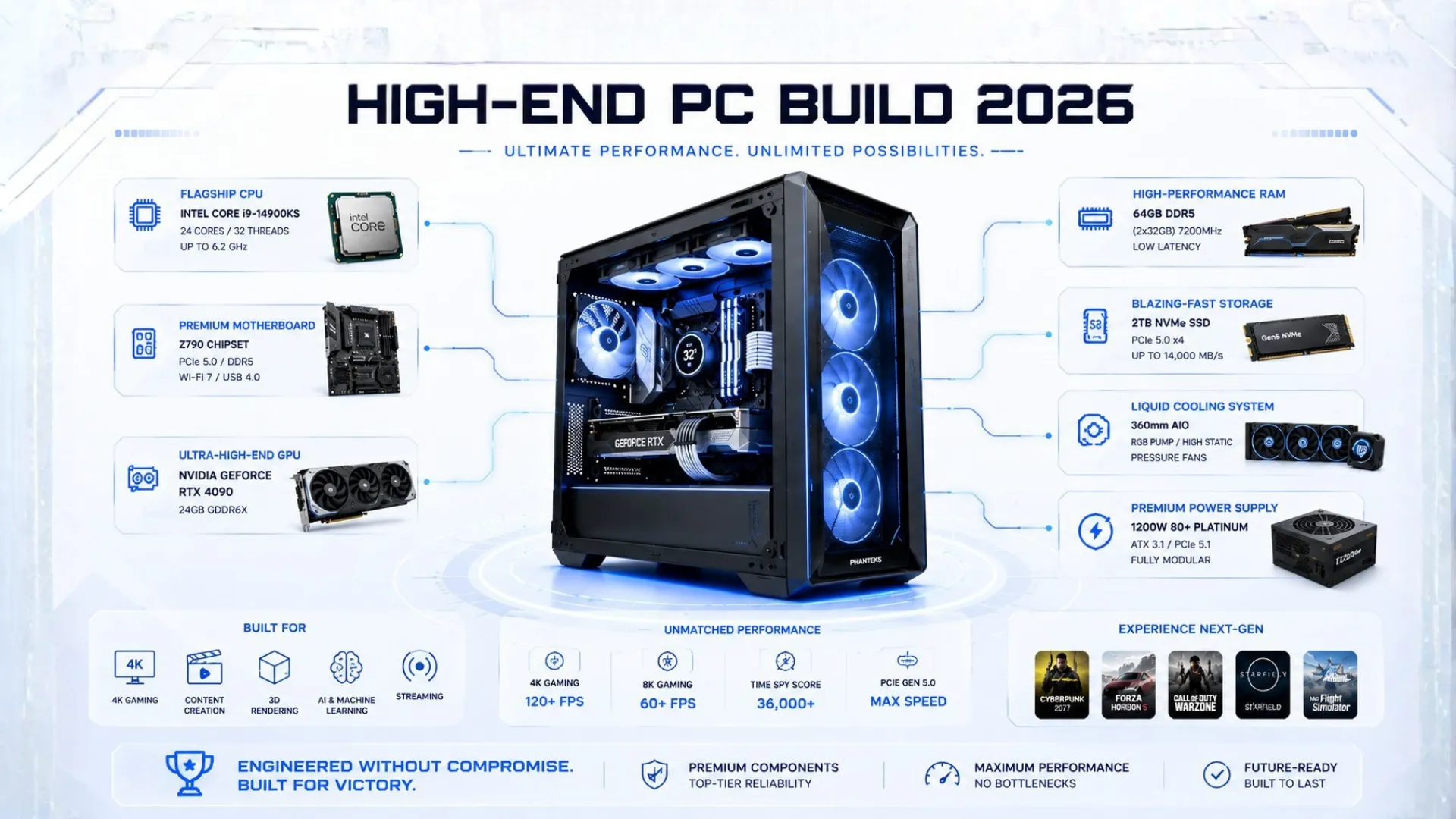
High-End PC Build: The Ultimate Enthusiast Guide (2026)
A high-end PC build is about no compromises: the best performance, 4K at max settings, and a machine that stays ahead for years. If you want the ultimate gaming experience and the best parts money can sensibly buy, this guide is for you. We lay out a flagship build with the top components, explain why each one earns its place, and show you where to buy quality parts. This is the dream build, tuned so every dollar buys real performance, not just bragging rights. Let us build something special.
What Makes a Build “High-End”?
A true high-end PC build is not just expensive, it is balanced at the top. Every part is chosen so nothing holds the rest back, and the whole machine targets the most demanding goals:
- 4K gaming at max settings, with ray tracing fully on and smooth frame rates.
- High-refresh 1440p, pushing 240Hz in competitive titles.
- Headroom for years, so you will not need an upgrade for a long time.
- Heavy creation too, handling video editing, 3D, and streaming without strain.

The key is that a high-end build spends on parts that deliver real performance, and does not waste money on extras that only look good. Check that any pairing is balanced with our bottleneck calculator.
The Ultimate High-End PC Build (2026)
This is our flagship parts list. It pairs the best gaming processor with the most powerful graphics card for a no-compromise 4K machine. Every key part links to Amazon for the live price.
- CPU: AMD Ryzen 7 9800X3D, the best gaming chip — check price
- GPU: NVIDIA RTX 5090, the most powerful card made — check price
- RAM: 32GB DDR5-6000 CL30 — check price
- Storage: 2TB Gen5 NVMe SSD — check price
- PSU: 1000W 80 Plus Gold or Platinum — check price
- Cooler: 360mm AIO liquid cooler — check price
Best for: 4K max settings, 1440p 240Hz, and serious creation. Expect to spend around $3,000 to $3,500 for the tower.

Want Even More? The No-Limits Option
If budget truly is no concern and you also do heavy creative work, you can step the processor up to the AMD Ryzen 9 9950X3D, which adds 16 cores for elite rendering and editing while keeping top gaming performance. For pure gaming, though, the 9800X3D above delivers the same gaming frames for less, so the 9950X3D only makes sense if you create as well as game.
- CPU upgrade: AMD Ryzen 9 9950X3D — check price

Why Each Part Earns Its Place
A high-end build is about smart spending at the top, so here is the reasoning:
- The 9800X3D is the best gaming processor thanks to its 3D V-Cache, and it costs far less than chasing a pricier chip that games no better.
- The RTX 5090 is the only card built for 4K at max settings with ray tracing, which is the whole point of a flagship build.
- 32GB of DDR5-6000 CL30 is the gaming sweet spot. More RAM does nothing for games, so this is the right amount, not the most.
- A strong power supply and cooler keep this powerful hardware stable and quiet under load.
Notice the build does not waste money on 64GB of memory or the absolute fastest chip for gaming. That is the difference between a smart enthusiast build and just an expensive one. For the picks behind each part, see our best GPU for gaming and best CPU for gaming guides.

Where to Buy the Best PC Parts
Many people search for the best place or website to build a PC and buy parts. Here is honest guidance, since the “best site” is less about one store and more about how you shop:
- Buy new from reputable online retailers for flagship parts, where you get full warranties and genuine stock. This matters most for expensive parts like the graphics card.
- Use a part-picker tool to plan, which helps you choose components and flags basic compatibility before you buy.
- Always verify the key matches yourself, since a processor must fit the motherboard and the memory type must be right. Our PC compatibility checker confirms this, and the PSU calculator sizes your power supply.
For a full walkthrough of the parts and assembly, see our PC parts explained and how to build a PC guides.

High-End Gaming and Streaming
A high-end build is also the ideal streaming and creation machine, since it has power to spare for encoding and editing while you play. If streaming or content creation is a main goal, the flagship parts here handle it with ease. For a build tuned specifically around streaming and editing, see our use-case builds guide. And for builds at other budgets, our gaming PC build guides and budget PC builds cover every price point.

Frequently Asked Questions
What is the best high-end PC build in 2026?
A flagship build pairs the AMD Ryzen 7 9800X3D with the NVIDIA RTX 5090, 32GB of DDR5-6000 CL30, fast Gen5 storage, and a strong power supply and cooler. It targets 4K max settings and costs around $3,000 to $3,500 for the tower.
Is the RTX 5090 worth it for a high-end build?
For a true 4K max-settings build, yes, since it is the only card built to drive 4K with ray tracing fully on. For 1440p gaming, it is overkill, and a more sensible card leaves money for the rest of the build.
Do I need a Ryzen 9 9950X3D for a high-end gaming PC?
Only if you also do heavy creative work like rendering or editing. For pure gaming, the Ryzen 7 9800X3D delivers the same frames for less, so the 9950X3D makes sense only if you create as well as game.
How much does a high-end PC build cost?
A no-compromise 4K build costs roughly $3,000 to $3,500 for the tower in 2026. The graphics card is the largest cost. Stepping up to the 9950X3D or extra storage pushes it higher.
Do I need 64GB of RAM for a high-end build?
No, not for gaming. 32GB of DDR5-6000 is the gaming sweet spot, and games do not use more. 64GB only helps heavy professional creative work, so most gamers should save that money.
Is a high-end build good for streaming?
Yes. A flagship build has power to spare for encoding and editing while gaming, making it ideal for streaming and content creation. For a build tuned around those tasks specifically, see our use-case builds guide.


