
RAM Buying Guide: How to Choose the Right PC Memory (2026)
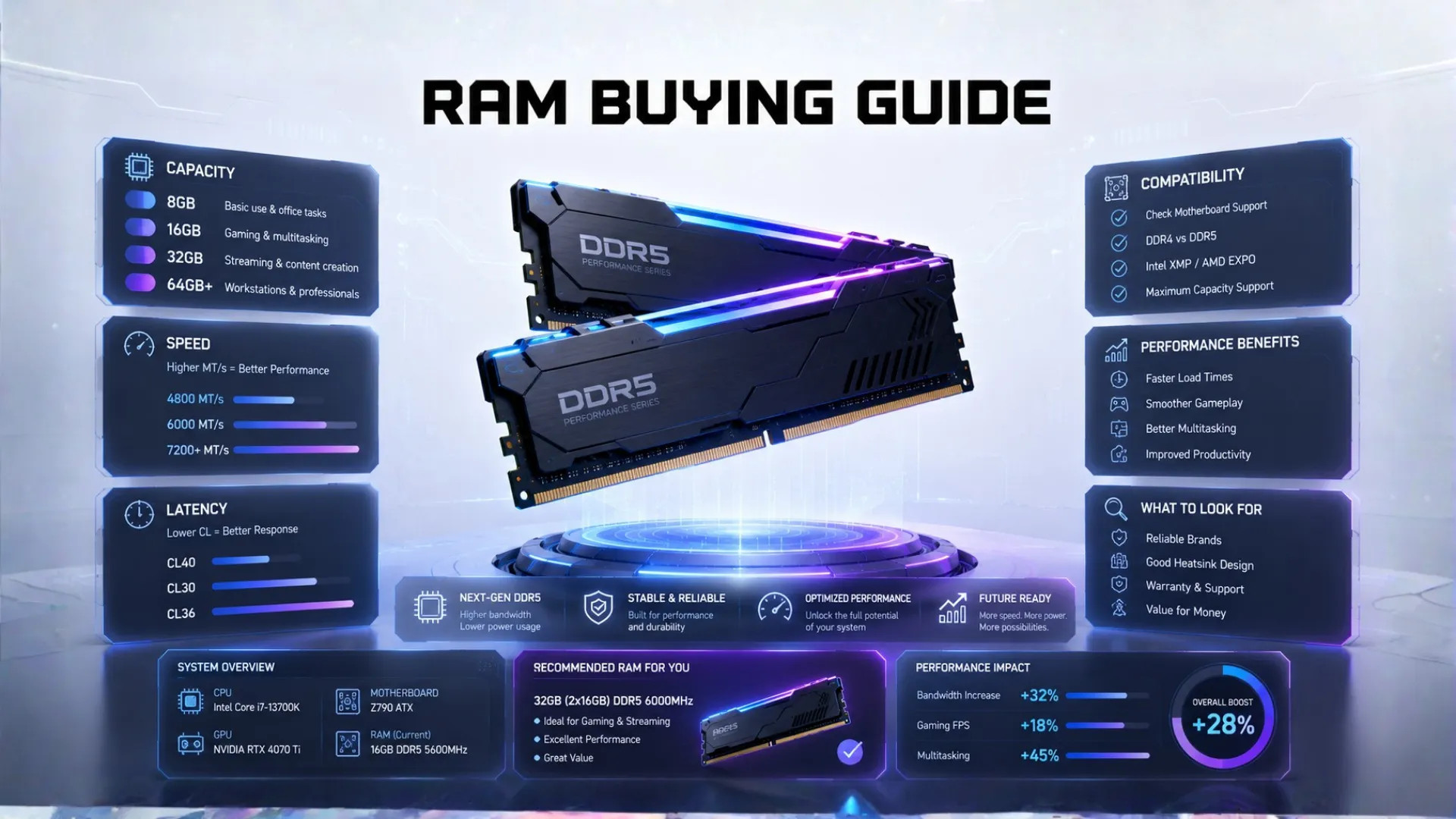
Buying memory should be simple, and this RAM buying guide makes it exactly that. There are really only a few things to get right: how much you need, how fast it should be, and which type fits your PC. Get those three correct and you have bought well. We will walk you through each, explain DDR4 versus DDR5, show why two sticks beat one, and help you avoid the common mistakes. Whether you are building a new PC or upgrading, you will know exactly which memory to buy by the end.
Quick answer: for most builds in 2026, buy 16GB or 32GB of DDR5 memory as a matched pair of two sticks, at a speed your processor supports. We explain each part below.
The Three Things That Matter When Buying RAM
Forget the jargon. A good RAM buying guide comes down to three decisions, in this order:
- Capacity. How much memory, measured in gigabytes. This matters most.
- Type. DDR4 or DDR5. This must match your motherboard and processor.
- Speed. How fast the memory runs, which gives a smaller but real boost.
Get capacity and type right, then pick a sensible speed, and you are done. Let us take each one.

Step 1: How Much RAM Capacity?
Capacity is the most important choice. Too little causes stutter, while too much is wasted money. The short version for 2026 is that 16GB is the comfortable minimum and 32GB is the sweet spot for power users. Since this deserves its own breakdown by use, see our full guide on how much RAM you need, which covers gaming, work, and everyday use in detail.

Step 2: DDR4 vs DDR5, Which Type?
This is the one you must get right, because the wrong type simply will not fit. Your processor and motherboard support one type, and they are not interchangeable. Here is the simple comparison.
| Type | Best For | Notes |
|---|---|---|
| DDR5 | New builds in 2026 | Faster, the current standard. Needs a DDR5 board and CPU. |
| DDR4 | Budget and older builds | Cheaper and still solid. Common on the older platform. |
For a new build, choose DDR5, since it is the modern standard and what current processors use. For a budget build or an upgrade to an older PC, DDR4 is cheaper and still good. The key rule: check what your motherboard and processor support before buying, since a DDR5 chip cannot use DDR4 and the reverse is true too. Our PC compatibility checker confirms the right type for your CPU, and our CPU buying guide notes which chips use which memory.

Step 3: How Fast Should Your RAM Be?
Speed, measured in MHz or MT/s, gives a real but smaller boost than capacity. Faster memory helps your processor feed data quicker, which improves smoothness and your low frame rate dips, especially in demanding games. A few simple pointers:
- For DDR5, a speed in the common fast range is the sweet spot for most builds, balancing price and performance.
- Do not overpay for the very fastest kits, since the gains shrink at the top end.
- Make sure your processor supports the speed, or the memory will simply run slower than its rating.
So buy fast RAM, but sensible fast, not the most expensive kit on the shelf.

Why Two Sticks Beat One (Dual Channel)
This is the easy win many people miss. Two matched sticks of memory run faster than a single stick of the same total size, because they work together in what is called dual channel. So for 16GB, buy a 2x8GB kit rather than a single 16GB stick. For 32GB, buy 2x16GB. It costs the same or close to it, and you get noticeably better performance for free. Always buy memory as a matched kit.

How to Check Your Current RAM
If you want to see what memory you already have before buying, it takes seconds. On Windows, press Ctrl, Shift, and Escape to open Task Manager, click the Performance tab, then Memory. It shows your amount, speed, and how many slots are in use. For the full steps on checking every part, see our guide on how to check your PC specs.
Common RAM Buying Mistakes to Avoid
A few traps catch people when buying memory. Steer clear of these:
- Buying the wrong type. A DDR5 board needs DDR5, not DDR4. Always check first.
- Buying a single stick. One stick is slower than a matched pair. Buy a kit.
- Overspending on speed. The fastest kits give small gains for big money.
- Buying too little to save a few dollars. Going below 16GB to save money causes stutter that is not worth it.

If your memory turns out to be the weak link in your build, our RAM bottleneck calculator confirms it, and to make sure the whole build is balanced, use our bottleneck calculator. For gaming-specific memory picks, see our guide to the best RAM for gaming.
Frequently Asked Questions
How do I choose RAM for my PC?
Decide capacity first, then type, then speed. For most 2026 builds, that means 16GB or 32GB of DDR5 as a matched pair at a speed your processor supports. Always check your motherboard and CPU support the type.
Should I buy DDR4 or DDR5?
For a new build, buy DDR5, since it is the current standard. For a budget or older PC, DDR4 is cheaper and still good. Check what your motherboard and processor support, since the two are not interchangeable.
Does RAM speed matter?
Yes, but less than capacity. Faster memory helps your processor, improving smoothness and low frame rate dips in demanding games. Buy a sensible fast speed rather than the most expensive kit.
Is it better to buy one stick or two?
Two matched sticks beat one, because they work together in dual channel for better performance. For 16GB, buy a 2x8GB kit, not a single 16GB stick. It costs about the same.
How do I check what RAM I have?
Open Task Manager with Ctrl, Shift, and Escape, click the Performance tab, then Memory. It shows your amount, speed, and slots used. Our how to check your PC specs guide has the full steps.
How much should I spend on RAM?
Enough for a 16GB or 32GB matched DDR5 kit at a sensible speed. Do not overspend on the fastest kits or huge capacities you will not use. Put those savings toward your graphics card or processor.

