
What Counts as a Good Bottleneck Percentage on Your PC?
You ran the numbers and got a result from the bottleneck calculator, but now you are stuck on the real question: is that number good or bad? A bottleneck percentage only helps if you know where the safe line sits.
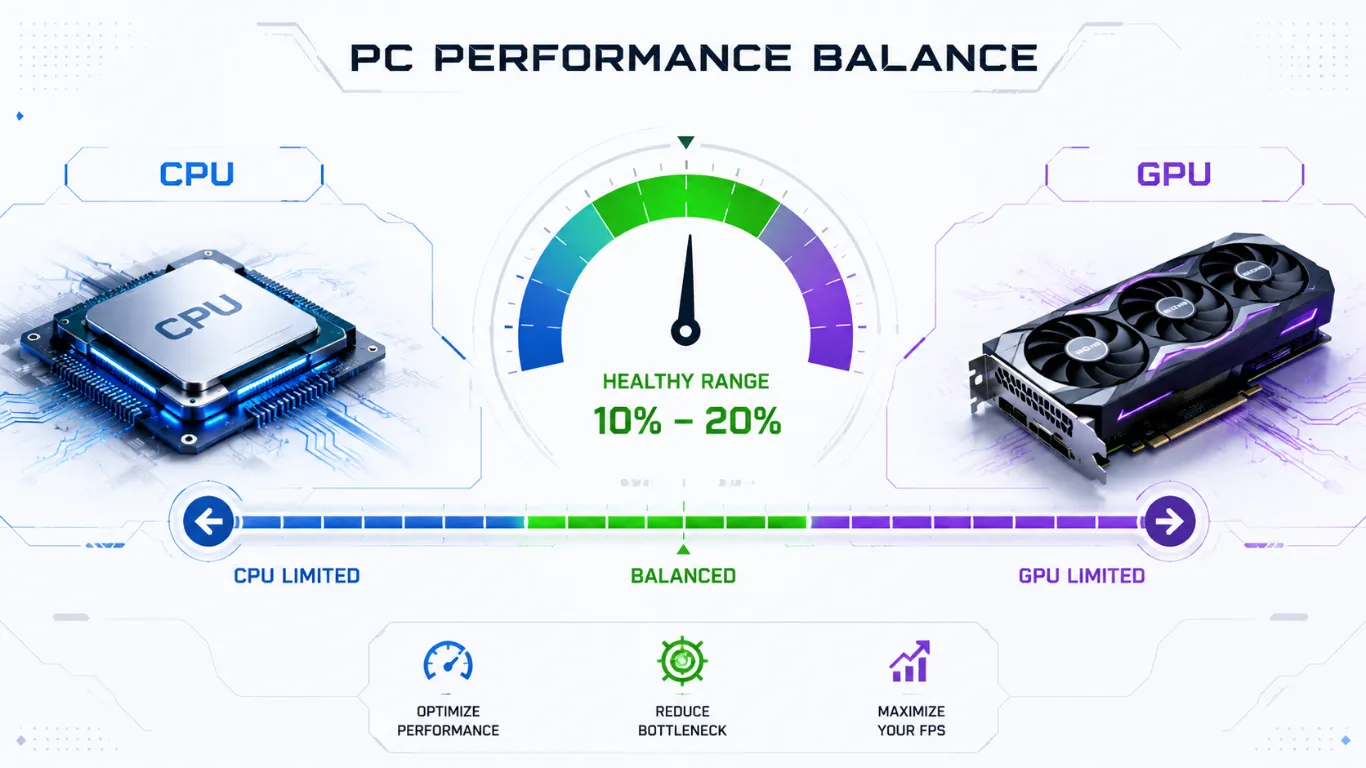
The short answer is that an acceptable bottleneck percentage for most people is under about 10 percent, and a small gap is completely normal. No PC is perfectly balanced.
This guide shows you what each range means, why the “good” number changes based on what you do, and when a result is finally worth spending money on.
What a Bottleneck Percentage Actually Measures
Think of your bottleneck percentage as the size of the gap between your two main parts, your processor and your graphics card. It is not a grade on your whole PC. It simply shows how much one part is waiting on the other.

A low number means your parts feed each other well and almost no power is wasted. A high number means one part is sitting idle while the other struggles, so you lose frames you already paid for. If you are still fuzzy on the basics, our guide on what a PC bottleneck is and why it happens explains it in plain words before you read the ranges below.
Is There a Perfect Bottleneck Percentage?
No, and that is the first thing to get out of the way. Chasing zero percent is a trap. Every PC has some gap because no two parts are matched to the exact same level. Even high-end builds that cost thousands show a few percent. A tiny bottleneck will never be something you feel while gaming or working.
So the goal is not zero. The goal is to stay inside a healthy range for what you actually do with your PC.
Acceptable Bottleneck Percentage Ranges Explained
Here is the simple way to read any result. These ranges work as a general guide for everyday gaming and use. \

| Percentage | Is It Acceptable? | What You Will Notice |
|---|---|---|
| 0% to 5% | Excellent | Nothing. Your parts are very well matched. |
| 6% to 10% | Yes, normal | No real-world impact. This is a healthy build. |
| 11% to 15% | Mostly fine | A small gap. Most people will not feel it. |
| 16% to 25% | Borderline | You may lose some frames in heavy scenes. |
| 26% to 35% | Getting high | Real frame loss. Worth planning an upgrade. |
| Over 35% | Too high | One part is clearly held back. Upgrade it. |
If your result lands in the top two rows, stop worrying and go enjoy your PC. If it lands in the bottom two, that is your sign to act. The middle rows are a judgment call, which is exactly what the next section helps with.
Why “Good” Changes Based on What You Do
This is the part most pages skip, and it is the most useful. The same percentage can be totally fine for one person and a problem for another. What matters is your task and your resolution.

A competitive gamer chasing high frames at 1080p feels a processor gap fast. A player at 4K leans on the graphics card, so a small processor gap barely shows. A video editor cares more about steady processing power than raw frames. Here is how the acceptable line shifts.
| What You Do | Acceptable Range | Why |
|---|---|---|
| Competitive gaming at 1080p | Keep under 10% | High frames need a fast processor that keeps up. |
| AAA gaming at 1440p | Up to 12% is fine | Load is more balanced between both parts. |
| Gaming at 4K | Up to 15% is fine | The graphics card does most of the work here. |
| Streaming while gaming | Keep under 10% | Streaming adds extra load on the processor. |
| Video editing and rendering | Focus on the CPU, not FPS | These tasks lean on the processor and memory. |
The takeaway is simple. Before you judge your number, set the right resolution and workload in the tool so the result matches your real life. You can re-check any time with the bottleneck calculator on our homepage.
How Much Bottleneck Is Too Much?
A good rule of thumb: once you pass roughly 25 percent, you are losing enough frames that an upgrade starts to make sense. Above 35 percent, one part is clearly choking the other and you are wasting money you already spent on the stronger part.
But do not act on the number alone. Ask yourself two quick questions first. Does my PC actually feel slow in the games or apps I use? Is the weaker part the one I can afford to upgrade? If your build feels great, a high number on paper may not be worth chasing. If it feels rough, the number tells you which part to fix first.
CPU or GPU: Which Side Is the Bottleneck?
Your percentage tells you how big the gap is, but not which part to blame. That second piece is just as important, because upgrading the wrong part wastes money. If your processor is the weak link, a new graphics card will not help much, and the reverse is also true. To see which side is holding you back, run both parts together in our CPU and GPU bottleneck calculator.

What to Do If Your Bottleneck Percentage Is High
A high number is not bad news. It is a clear map of where to spend next. Here are the smartest moves in order.

- Try free fixes first. Change your resolution or game settings to shift the load and shrink the gap, then re-test.
- If your graphics card is the weak side, see our picks for the best graphics cards for gaming.
- If your processor is the weak side, check where your chip ranks in the CPU performance hierarchy and find a better match.
- If your result flags memory, read our how much RAM you need guide before buying.
Picked a new part in your head? Plug it into the tool and watch the percentage drop before you spend anything.
A Quick Note for Laptop and Notebook Owners
Laptop parts often run a little slower than the same-name desktop versions because of heat and power limits. That means a laptop can show a slightly higher percentage even with a sensible pairing. Treat your laptop result as a close guide, and remember that on most laptops the parts are fixed, so the number is best used to set fair expectations rather than to plan an upgrade.
Frequently Asked Questions
What is a good bottleneck percentage?
Anything under about 10 percent is good and normal. A small gap means your parts are well matched, and you will not feel it during gaming or daily use.
Is a 0 percent bottleneck possible?
In real life, no. Every PC has some gap because no two parts perform at the exact same level. Aiming for zero is not worth your time or money.
How much bottleneck is too much?
Past roughly 25 percent you start losing frames worth fixing, and above 35 percent one part is clearly holding the other back. That is when an upgrade pays off.
Does an acceptable bottleneck percentage change with resolution?
Yes. At 4K the graphics card does most of the work, so a higher number is fine. At 1080p the processor matters more, so you want a lower number.
Is a 10 percent bottleneck bad for gaming?
No. Ten percent is a healthy, balanced result for gaming. You will not notice it in normal play, so there is no need to upgrade.
Should I upgrade my PC based on the percentage alone?
Not by itself. Check if your PC actually feels slow in your games and apps first, then use the number to decide which part to upgrade.
Similar Posts
How to Check PC Bottleneck: Easy 2026 Guide
How to Check If Your PC Has a Bottleneck If your PC feels slower than it should, there is a simple way to find out why. Learning how to check PC bottleneck shows you whether…
GPU Bottleneck Calculator: Check and Fix It 2026
Is Your Graphics Card the Weak Link? Check and Fix a GPU Bottleneck When your graphics card cannot keep up with the rest of your PC, your frame rate drops and your games feel less…
CPU Bottleneck Calculator: Check and Fix It 2026
Is Your Processor Holding Back Your PC? Find Out and Fix It A slow processor is one of the most common reasons a powerful graphics card never reaches its full speed. When your CPU cannot…
What Is a PC Bottleneck? Simple Guide for 2026
PC Bottlenecks Explained: What They Are and Why They Slow You Down? So what is a PC bottleneck, really? In plain words, a bottleneck is when one part of your computer is too slow to…
RAM Bottleneck Calculator: Free Memory Check 2026
Is Your Memory Slowing You Down? Check With the RAM Bottleneck Calculator Most people only think about their processor and graphics card, but memory can quietly hold a PC back too. If your RAM is…
CPU and GPU Bottleneck Calculator: Free Check 2026
Check If Your CPU and GPU Are a Good Match Your processor and graphics card are the two parts that decide your frame rate, and they have to work as a pair. If one is…


